smew.ai

Perdon Trend: AI Creates Your Perfect Photo, Then You Say "Perdón"

Upload one casual photo of yourself or your pet. AI transforms it into perfection: dream location, salon-fresh hair, professional lighting. Share the AI version first, then drop your real photo with just one word: perdón.

The original Perdon Trend reel by @jimherrp031727Original reel
  • 1 photo you add
  • 2K photo you can turn into a video
  • 9:16 for TikTok, Reels, Shorts
  • No watermark

No prompt to write: Add your photo and tap once

Create your own

Ready in a few minutes · From 3 credits

The perdon trend is TikTok's AI versus reality format: you share a flawless AI image first ("esta soy yo"), followed by your actual photo captioned "perdón" (sorry). It exploded across Argentina and Mexico in October 2026. AI transforms one snapshot of you or your pet into an idealized version.

Also called Perdón trend · Perdón IA foto · AI vs reality photo trend · I'm so sorry costume trend · I'm sorry I lied trend

Example

Perdon Trend photo examples

Here's the reel that launched everything. Your result is a fresh creation based on your photo using the same format, not a replica of these frames. Each generation is unique.

Original reel by @jimherrp031727, 10 s
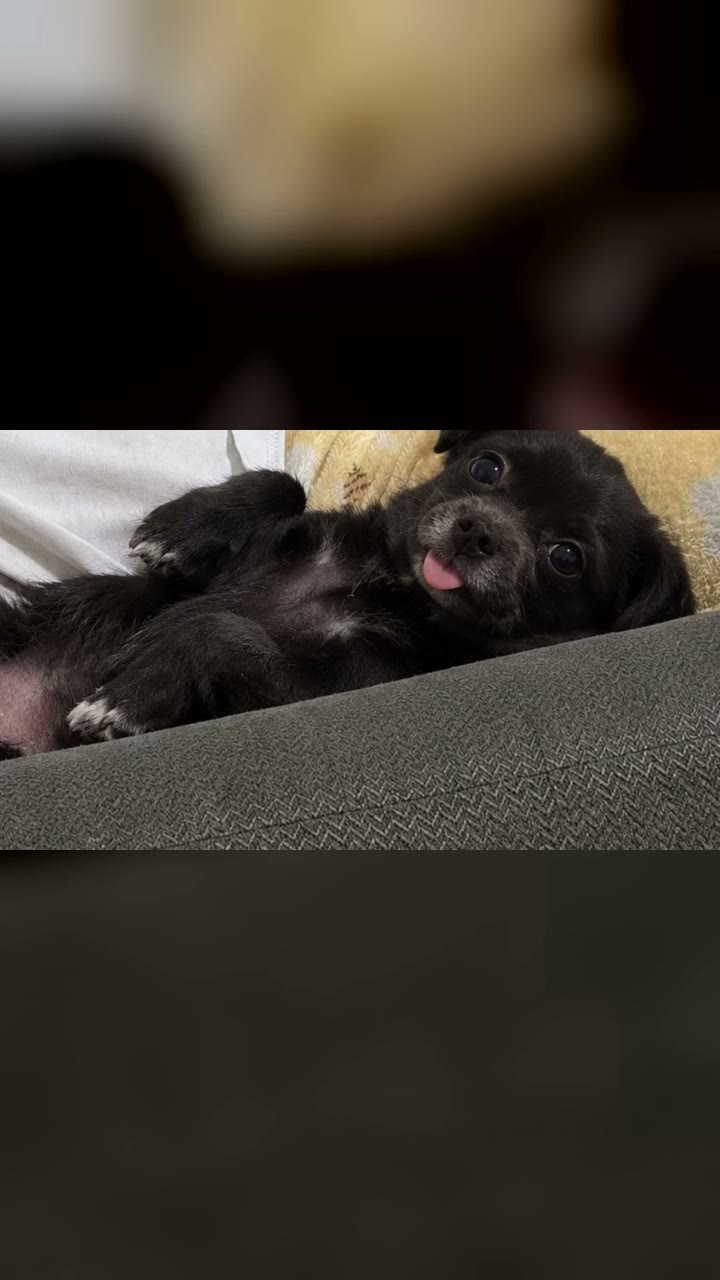
The viral pet edition from @jimherrp031727 (17 October 2026): her chihuahua shown as an AI "princess" — younger and fluffier — followed by the actual dog. Four images cropped beneath the text overlay, set to the trend's audio.
Use this reference
Step by step

Creating Perdon Trend photos with Smew AI

All processing happens in your browser. No editing software needed, no prompt writing, no watermark.

  1. Upload your photo

    Click "Create your own" and upload a casual photo showing your face clearly. Capture a new one or choose from your gallery.

  2. Hit Generate

    The button displays the credit cost. Nano Banana 2.1 transforms your image into the Perdon AI vs Reality format and produces one 2K photo. No prompt writing required.

  3. Save or post

    Your photo renders in minutes as a 9:16 2K image. Save it locally, post directly from your device, convert it to video, or retrieve it anytime from your Library.

What kind of photo works?

Start with one regular snapshot: the authentic image you'll reveal at the end. For You, upload a solo shot. For Pet, use an image of your dog or cat.

  • Plain backgrounds work best for the humor. A living room, neighborhood court, bus shelter, cluttered workspace. AI elevates these ordinary places into their fantasy versions.
  • Keep the face visible and clear, under decent lighting, without sunglasses. AI preserves your facial features, approximate age, natural hair color and build so people recognize you.
  • Pose doesn't matter. The AI version mirrors your original stance and camera angle, amplifying the comparison's comedic effect.
  • Halloween costume: wear your actual costume from this year, full body visible. Pet costume: your pet dressed up.
  • Only use images of yourself or your own pet. Adults exclusively: no children, famous people or strangers. You're the subject of the joke.

Origins of the Perdon Trend

The perdon trend makes fun of AI photo editing. You share a carousel where the first image is an AI-enhanced version of your photo that looks a little too perfect, labeled "esta soy yo" (this is me): performing in a stadium, relaxing in a fancy mansion, sporting shiny hair straight from the salon. The following slides walk back each exaggeration ("mentira, no soy rubia": lie, I am not blonde; "tampoco estaba en un estadio": I was not in a stadium either), ending with your actual photo and just one word: "perdón".

The audio is a 60-second track by TikTok user Harrison, shared on 6 August 2026. It first took off in English gif and story content during August and September. The perdon trend ia variation began in Argentina: a creator posted her field hockey AI image alongside the real one on 13 October 2026 and hit 4.5 million views. Versions featuring beach volleyball, jiu-jitsu and firefighters spread across Argentina, Mexico and Chile, and an Argentine video reached 30 million views on 17 October. The sound had roughly 90,000 videos by 19 October, with Spanish tutorial content calling it the perdon trend de fotos ia.

  1. Harrison's music track on TikTok (uploaded 6 August 2026) appears in its first multi-million view post we located: a UK gif story reaching 4.5 million views by October. TikTok

  2. An Argentine creator shares an AI image of herself at a field hockey match in a stadium, progressively removes the stadium and enhanced physique across slides, concluding with her actual photo: "perdón". Hits 4.5 million views by 19 October. TikTok sound

  3. The concept spreads: a Mexican jiu-jitsu athlete (4.2 million views) and Chilean firefighters (4.3 million) publish their perfect-then-authentic carousels using the same audio. TikTok

  4. A Mexican pet variant, "Está es mi chihuahua princess" revealing the actual chihuahua, gathers 6.6 million views and 2 million likes. The trend's largest Argentine post exceeds 30 million views that same week. TikTok

  5. AI tools and Spanish tutorial videos for "perdon trend de fotos ia" emerge (top video reaches 80,100 views by 19 October), launching the hashtag #perdontrendia. TikTok

  6. An English Halloween adaptation begins on the same track: AI-perfected costumes followed by DIY reality shots captioned "I'm so sorry". First major US entry (18 October, mummy costume) reaches 4.2 million views, and the sound accumulates 148,200 videos by 21 October. TikTok sound

Copy and paste

Perdon Trend prompts

Not necessary: the single-tap workflow handles everything. The photo prompt integrates your image into the format. Want customization? Copy and modify it in AI Photo.

You

1 photo: your everyday photo, face in viewNano Banana 2.1Photo · 2K · 9:163 credits
Photo prompt

Use the uploaded image as the base. Make the perfect, idealized AI version of this exact photo, the "this is me" first slide of an AI vs reality photo post: the same person, the same pose, the same moment and the same camera angle, but everything a little too perfect. Upgrade only these things, like an AI photo edit that went a little too far: the place becomes the dream version of where the photo was taken (a plain room becomes a bright luxury living room with marble, fresh white flowers and warm lamps; a local court, field or gym becomes a big modern stadium full of cheering fans under bright lights; a street becomes a stylish city street at golden hour; a beach becomes a perfect sunny beach with turquoise water; a kitchen or dining table becomes an elegant restaurant table); the light becomes soft, warm, flattering photo-shoot light with a gently blurred background; the image is sharp, clean and polished, like a professional photographer's shot. The hair is freshly styled at a salon, glossy and neat, in its own color and its own length. The clothes become a clean, ironed, stylish version of the same outfit in the same colors. The skin looks rested and fresh; if the photo shows makeup, it is neat. The expression stays the same, relaxed and photogenic. Keep the body shape and body size exactly as in the photo: never slimmer, curvier, taller or more muscular. Keep the age. Exactly one person: nobody added, nobody removed; a pet in the photo stays, groomed and fluffy. Any logo, crest, brand name or writing on the clothes or in the place becomes plain. Vertical 9:16; if the photo is wider, extend the dream place naturally. Photorealistic, so people believe it for a second. No text, no captions, no stickers, no logos, no watermark, no frame.

1768 characters

Pet

1 photo: your pet's face and body, in clear lightNano Banana 2.1Photo · 2K · 9:163 credits
Photo prompt

Use the uploaded image as the base. Make the perfect, idealized AI version of this exact pet photo, the "this is my princess" first slide of an AI vs reality pet post: the same pet, the same pose and the same camera angle, but everything a little too perfect, like a professional pet photo shoot. The pet keeps its own species, breed look, face, eyes, ears, muzzle, fur colors and markings, and the natural body volume and proportions of that animal, never flattened, stretched or swapped for another breed, but looks its very best: freshly groomed, fluffy, glossy and clean fur, bright happy eyes, a small pastel bow or a neat collar. The place becomes the dream version: a soft velvet cushion on a cream sofa in a bright luxury living room with fresh white flowers and warm lamps (if the photo is outdoors, a perfect green garden at golden hour). Soft, warm photo-shoot light with a gently blurred background. Exactly the pets of the photo: none added, none removed, and no people added. Any logo, crest, brand name or writing on the clothes or in the place becomes plain. Vertical 9:16; if the photo is wider, extend the dream place naturally. Photorealistic, so people believe it for a second. No text, no captions, no stickers, no logos, no watermark, no frame.

1266 characters

Credit cost breakdown

Payment is per-photo in credits, with the exact amount shown on the Generate button before any charge. The single-tap option produces one 2K photo for a one-time fee. Each photo costs 3 credits, so the smallest pack covering this is $9.99 for 100 credits with no recurring charges. Running the prompt manually in AI Photo for a 1K photo costs less.

ModelSettingsCredits
Nano Banana 2.1 (this template)2K photo, 9:16, one tap3
Nano Banana 2.1 (by hand in AI Photo)1K photo, 9:16, same prompt2

One-time packs and plans are on the pricing page. A failed video gives its credits back.

What this perdon trend template creates

One fresh image: the "esta soy yo" frame. Your original photo gets the same composition and viewing angle, but unrealistically enhanced like typical AI edits.

In your real photoIn the perfect AI photo
The placeIts fantasy upgrade: basic rooms become bright luxury interiors, neighborhood courts transform into packed stadiums, streets turn into golden-hour cityscapes
The lightProfessional soft, warm lighting with depth-of-field blur
Your hairSalon-fresh styling with shine, maintaining your natural color and length
Your clothesA polished, pristine, fashionable take on your actual outfit, keeping the same color palette
Your face, age and bodyUnchanged. AI never alters your weight, height or muscle definition

You generates the idealized version of you. Pet creates your dog or cat as the groomed, fluffy "princess" edition, posed on velvet cushions in elegant surroundings, but unmistakably your animal. Halloween costume and Pet costume apply the same treatment to costumes: they produce the spectacular, elaborate version for I'm so sorry I lied content (details below).

How Smew AI processes it: your image runs through Nano Banana 2.1, Google's image model, returning as one 2K vertical picture. The authentic photo remains yours: you share it last. The creation page displays exact credit pricing on the Generate button before any transaction, and each run produces a fresh interpretation.

Posting the perdon trend (AI vs realidad carousel)

  1. Generate the perfect photo using this tool from your casual snapshot.
  2. Create a photo carousel on TikTok: AI image opening, real photo closing. Add the trend's audio: search for the perdón trend sound, "original sound" by Harrison, or tap the audio on any perdón post and select Use this sound.
  3. Caption each slide. Creators follow a consistent pattern:
    • Slide 1: "Esta soy yo en..." (this is me at...), examples: "esta soy yo jugando al hockey" or "esta soy yo en mi casa".
    • Middle slides (optional): "Mentira, no soy rubia" (lie, I'm not blonde), "Tampoco estaba en un estadio" (wasn't in a stadium either), "Ni estaba tan arreglada" (wasn't that put together).
    • Final slide, your actual photo: "Perdón" (sorry). Some use "Lo siento".
  4. Make it personal. This trend is self-deprecating humor: your own snapshot, your own pet, your own messy space. Never use a friend's photo without permission, never a stranger's.

Need those middle slides? Run the template again using the same image, or just use the real photo for the ending and let the contrast speak: many top posts feature only two or three frames.

I'm so sorry I lied: Halloween costume adaptation

October 2026 brought an English variation using the same audio: the I'm so sorry I lied trend, applying the perdon format to Halloween costumes. Frame 1 shows a gorgeous AI costume ("When I was little I was a butterfly for Halloween"), middle frames acknowledge embellishments ("Sorry, I lied, I didn't have jewelry", "my outfit was all black"), and the final frame reveals the actual DIY costume with "I'm so sorry". The first popular English post came from the US on 18 October (4.2 million views), entries reaching 6.3 million views appeared next day, and by 20 October over ten tutorial videos called it the I'm so sorry I lied Halloween costume trend, I'm so sorry costume trend or I'm sorry I lied trend.

Most posts feature childhood photos. This page is for current photos: adults and pets exclusively.

VersionYour photoWhat you get
Halloween costumeYou currently, wearing your actual or handmade costume, full body visibleThe spectacular, elaborate take on that costume, complete with luxury elements: premium materials, gold accessories, styled wigs, professional makeup, Halloween-decorated setting. Your facial features, approximate age and physique remain yours. No costume visible in photo? You receive the fancy Egyptian mummy.
Pet costumeYour dog or cat dressed in costumeThe premium rendition of that pet costume, featuring a well-groomed animal in a Halloween scene

Then share a TikTok photo slideshow using the trend's audio: AI image opening with "This was my Halloween costume", real photo closing with "I'm sorry I lied" or "I'm so sorry". That completes the I'm sorry I lied costume post, and Halloween falls on 31 October.

Prompt origins

The trend began with AI photo manipulation, and since 18 October also runs through proprietary app tools. No creators published prompts: we analyzed captions and approximately 1,200 comments from the five largest posts, while tutorials demonstrate only interface buttons. Our prompt derives from creators' own slide text. Each "mentira" line identifies one AI enhancement (location, hair, outfit, finish), and the prompt requests precisely those improvements and nothing more. It maintains your facial features, approximate age, physique and natural hair color, so the humor centers on setting and refinement, not your appearance.

For Halloween costume adaptations, one template tutorial shared its concept in the caption: "start with a stunning, fancy Egyptian mummy Halloween costume, then slowly strip away all the luxury details, and finally show the simple, plain original look". Our costume prompt incorporates that language. It produces the stunning, fancy costume with all the luxury details, while your original photo serves as the simple, plain original look.

Troubleshooting and solutions

ProblemFix
The perfect photo doesn't resemble youUpload a sharp image with your face prominent and well-lit. Each generation creates a new interpretation.
Location barely changedTry again. Simple, everyday backgrounds give AI more room for enhancement.
Too perfect for comedyThat's intentional: your real photo provides the punchline. Choose your most mundane authentic snapshot.
Your pet looks like a different breed (Pet)Upload an image where pet's face and coat are distinct and reasonably sized.
AI generated a different costume (Halloween costume)Upload an image showing complete costume, head to toe, under good lighting. Each generation creates a new interpretation.
Generation fails or model rejects photoCredits are refunded. Try a different image.
FAQ

Perdon Trend questions

What is the perdon trend?
A TikTok photo format from October 2026. You share a flawless AI image of yourself ("esta soy yo"), then retract AI enhancements one at a time, ending with your authentic photo labeled "perdón", Spanish for sorry. It's called the perdon trend ia, perdon ai trend and AI vs realidad.
Where did the perdon trend originate?
Argentina. The audio is a music piece uploaded by TikTok user Harrison on 6 August 2026. On 13 October 2026 an Argentine creator applied it to a field hockey AI photo followed by reality, reaching 4.5 million views. Posts from Mexico, Chile and Spain followed, with one Argentine entry exceeding 30 million views on 17 October.
How do I join the perdon trend de fotos ia?
Click "Create your own", select You or Pet, upload one casual photo and click Generate. You receive the perfect AI image. Share it first and your real photo last, with "esta soy yo" on the opening slide and "perdón" on the closing one, set to the trend's audio. No template or prompt required.
What does perdon ia mean? Is it AI vs reality?
Perdón means sorry, and IA is Spanish for AI. The trend demonstrates ia vs realidad, or ai vs realidad as many captions spell it: AI versus reality. The AI vs reality photo is the English name for the perdon photo trend, identical concept: AI image first, authentic one second.
Is there a perdon trend ai template or plantilla? How to make it, como hacer el trend perdon?
Yes. Since 18 October 2026 Spanish tutorials (perdon trend ia tutorial, perdon trend como hacer) direct users to an AI tool, a plantilla. On Smew AI the tool is this page: one photo input, perfect AI photo output. For the perdon trend de fotos you then include your real photo yourself. That's como hacer el trend perdon in brief.
Can I do the perdon trend with my dog? Perdon trend perro?
Yes. Select Pet. Your dog or cat becomes the groomed, fluffy, princess edition in elegant surroundings, with your authentic pet photo as the punchline. One major post, a chihuahua, accumulated 6.6 million views. It functions identically for a perdon trend perro or cat.
What captions go on slides? Esta soy yo, perdón?
Slide 1: "Esta soy yo..." plus the AI scenario ("esta soy yo en la playa"). Middle slides: "Mentira, ..." or "Tampoco ...", one AI enhancement each. Final slide: "Perdón". For pets: "Este es mi perro" followed by "perdón" or "lo siento". That's the complete esta soy yo perdon ia format.
Is the perdon trend meme cruel?
It shouldn't be. The perdon trend meme succeeds because you're the joke's subject. Our tool never alters your weight, height or muscle definition, and preserves your facial features and approximate age, so the difference is location and refinement. Only use your own photo or your own pet, never another person's.
Is this the AI vs reality meme or AI expectation vs reality?
Related formats. The AI vs reality meme and AI expectation vs reality meme contrast AI imagery with actual results, from products to ai vs reality photos of locations. The perdon trend is the personal adaptation: your own AI versus authentic photo, presented as a confession, ending with perdón.
What are other names for the perdon trend?
Tutorial captions use perdon trend gracioso (the funny perdón trend), perdon con ia trend, tendencia perdon fotos ia (the perdón AI photo trend) and perdon fotos trend. English versions include the pardon ai trend, and some pet posts end with "lo siento" instead of perdón, making it the lo siento trend.
What is the I'm so sorry I lied trend?
The English Halloween costume adaptation of the perdon trend, from October 2026, using the same audio. Slide 1 shows a spectacular AI costume, the final slide reveals the actual DIY costume captioned "I'm so sorry". Also called the I'm so sorry costume trend. The humor comes from the gap: cheaper real costumes amplify the comedy.
Is there an I'm sorry I lied costume tutorial? Can I create it with AI photos?
Here's the quick version. Select Halloween costume, upload one current photo wearing your actual costume, and click Generate: you receive the spectacular, elaborate AI costume version. Then share a TikTok photo slideshow, AI image opening and real photo closing, captioned "I'm sorry I lied" on the final slide. For your dog or cat, select Pet costume. No template or prompt required.
Is the image real or AI?
The opening photo is AI, the closing one is authentic. Disclose it's AI when posting: retain the platform's AI indicator. The trend works because everyone recognizes the opening photo is impossibly good.
Does this use credits?
Yes, a small amount per image, since it's one AI generation. The creation page shows exact credit pricing on the Generate button before any transaction, and failed generations refund credits.
Is my photo kept private?
Yes. Smew AI never publishes your photo or result anywhere or displays them to other users. Results go to your private Library, where you can delete them anytime.

More trends

Other AI video templates

Template

You Look Lonely, I Can Fix That: The AI Hologram Video

A towering glowing hologram bends down through rainy neon skies toward a small person on a bridge and delivers: "You look lonely. I can fix that." Add your faces to both characters, or create a wallpaper.

Read more
Template

Ghostface AI Trend: Put Yourself in the 90s Horror Phone Call

Picture yourself lying on satin sheets with a chunky 90s telephone to your ear, while a hooded figure in a black robe and white ghost mask stands in the shadowy doorway. Upload a selfie and get a grainy film photograph, or a brief video where you look back.

Read more
Template

Ryuk AI: Place a Grinning Death God in Your Photo

Upload your photo, and a towering death god with spiky black hair, dark feathers and a huge grin appears right beside you, matching your photo's lighting. Save the photo, or create a 5 second video where he takes a bite of an apple.

Read more
Template

Crochet Filter: AI Transforms Your Picture Into an Amigurumi Doll

Upload one picture. AI creates a handmade amigurumi version in yarn: your hair, outfit and pose, set in a crocheted version of your location. Create it solo or with someone special.

Read more
Template

Split Face Trend: Half Your Face, Half Your Parent's

Upload your photo and one of your mom, dad or other family member. AI merges the left side of your face with the right side of theirs into one black-and-white portrait, showing who you resemble.

Read more
Template

2016 vs 2026: Your 2016 Self Steps Through a Portal to Meet You

Your younger self from 2016 steps in, sizes you up and wonders why you look worn out. Choose the location and the ending, write custom dialogue. One old photo and one new photo become a 10-second video with voices. Works for your pet as well.

Read more

Create your Perdon Trend photo

Upload one photo and tap once. No prompt writing. 3 credits.

No watermark. A failed photo gives its credits back. Secure checkout by Stripe.